Comparison
GrantGuard vs. spreadsheets
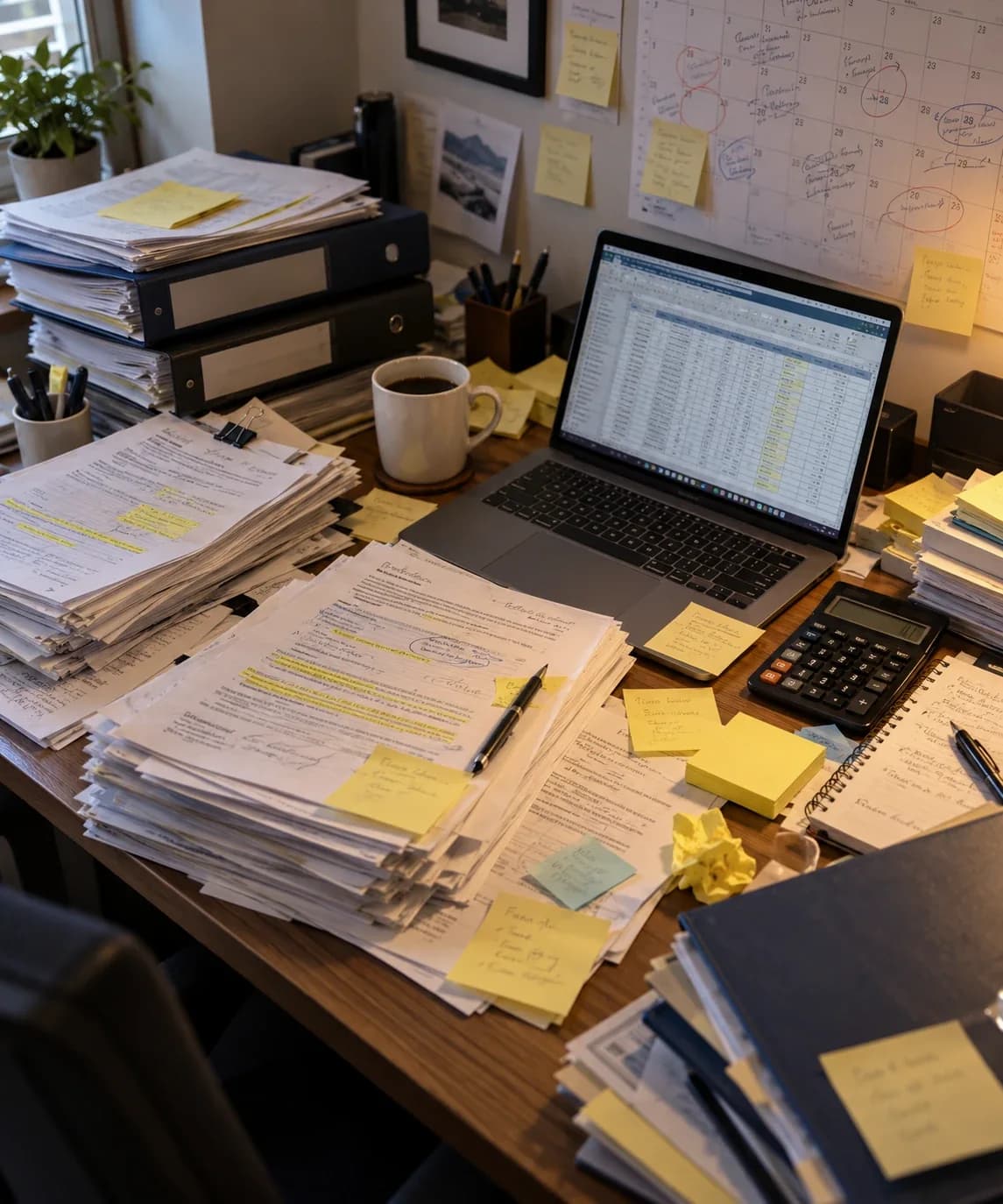
Most grant tracking starts in a spreadsheet. Here is where it works, where it breaks, and what changes when you switch.
Finding requirements
- Spreadsheet
- Retyped by hand
- GrantGuard
- Pulled from the agreement, with the page
Deadlines
- Spreadsheet
- Someone opens the file
- GrantGuard
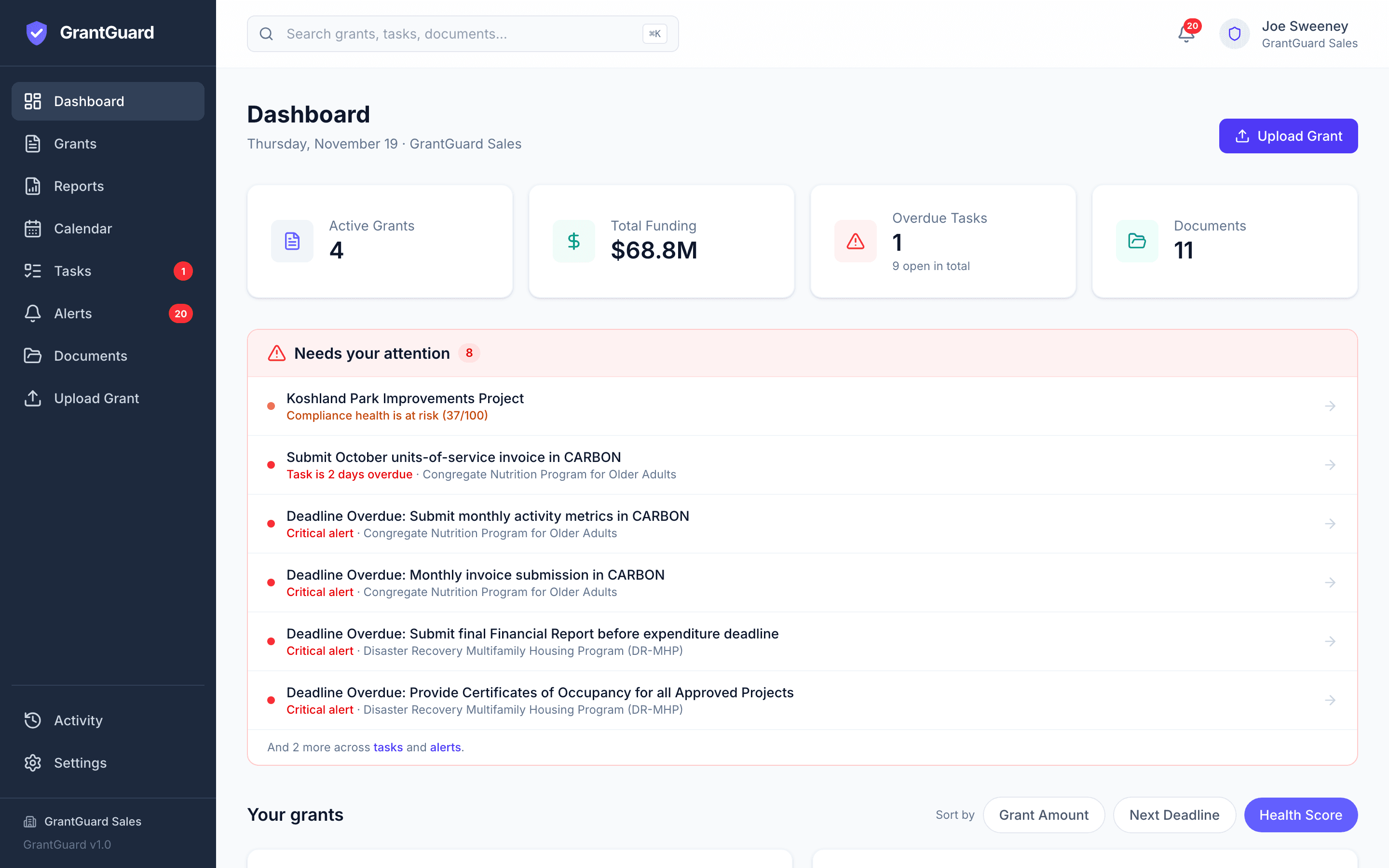
- Alerts and email before every due date
When someone leaves
- Spreadsheet
- Their knowledge leaves too
- GrantGuard
- Stays in a shared workspace
When a spreadsheet is enough
- You manage one or two grants with simple, annual reporting.
- One careful person owns them, and they aren't going anywhere.
- No funder or auditor has asked how you track compliance.
If that is you, a well-kept spreadsheet is fine. Our free grant compliance checklist will help you keep it complete.
Side by side
Finding the requirements
- Spreadsheet
- Someone reads the agreement and types each requirement in. Anything they miss isn't tracked.
- GrantGuard
- Upload the agreement. Every requirement, deadline, and budget condition is pulled out with the clause and page it came from, for you to review.
Deadlines
- Spreadsheet
- Dates sit in a column. Someone has to open the file to see what's coming.
- GrantGuard
- One calendar across every grant, with alerts and a morning email as far ahead as you choose.
Who does what
- Spreadsheet
- An owner column, and the hope that they check it.
- GrantGuard
- Tasks with a named owner, who gets an email when it's assigned.
Proof
- Spreadsheet
- Supporting documents live in folders and inboxes, connected by memory.
- GrantGuard
- Each document is stored with the requirement it proves.
Budget
- Spreadsheet
- A separate budget sheet, reconciled by hand.
- GrantGuard
- Spent, committed, and available by category for each award, with an alert at 90% of budget.
Status across grants
- Spreadsheet
- Built by hand when the board or a funder asks.
- GrantGuard
- A compliance health score for every grant and a report on demand.
Single Audit
- Spreadsheet
- The Schedule of Expenditures of Federal Awards is rebuilt by hand from the ledger every year.
- GrantGuard
- A draft SEFA for any fiscal year, with totals by federal agency, downloaded in Excel.
History for auditors
- Spreadsheet
- Who changed what, and when, is usually lost.
- GrantGuard
- An audit trail you can export when a funder or auditor asks.
When someone leaves
- Spreadsheet
- What they knew about each grant leaves with them.
- GrantGuard
- Everything stays in one shared workspace, with role-based access and a record of who did what.
Cost
- Spreadsheet
- Free, plus staff time.
- GrantGuard
- From $199 a month. Free 30-day trial, no card.
Every grant, deadline and task in one view
Signs you have outgrown the spreadsheet
- You have more than three active grants, or any federal award.
- Two people keep their own versions of the tracker.
- A report was late, or nearly late, in the last year.
- Finding a signed agreement or an amendment takes more than a minute.
- An audit or a funder monitoring visit is coming up.
- Only one person understands how the spreadsheet works.
How switching works
- Step 1
Start the free trial
Your workspace is ready in about a minute. No card.
- Step 2
Upload your grant agreements
GrantGuard pulls out the requirements and deadlines. You review and confirm them.
- Step 3
Assign owners and set alerts
Keep the spreadsheet open alongside until you trust the new one.
Prefer help? Send us your agreements and we'll load your first grants for you.
Questions about switching
Can GrantGuard import our existing spreadsheet?
You don't need to: GrantGuard reads the grant agreements themselves, which is where the requirements come from. If your spreadsheet holds notes or dates you want to keep, send it to support@grantguard.ai and we'll help bring them in.
Is GrantGuard worth it for a small organization?
Starter is $199 a month for up to 5 grants and $2M under management. If you manage one or two simple grants, a well-kept spreadsheet may be enough. The trial is free for 30 days with no card, so you can compare the two on your own grants before deciding.
Does GrantGuard replace our accounting system?
No. Your accounting system still records transactions. GrantGuard tracks spending against each award's budget and rules, alongside the requirements, deadlines, and documents for that grant.
Is our grant data safe?
Documents are encrypted in transit and at rest, each organization's workspace is kept separate, access is role-based (Admin, Editor or View-only), and nothing you upload is used to train AI models.
Still have a question? Book a 45-minute demo, send us a message, or start your free trial.
More comparisons
- GrantGuard vs. SmartsheetWhat Smartsheet does well for grant tracking, and what you build yourself.
- GrantGuard vs. Euna / AmpliFundPrice, setup and contract terms, from public government contracts.
- GrantGuard vs. InstrumentlFinding grants or keeping them compliant, or using both.
- GrantGuard vs. OpenGovA grants module in a government suite, or a grant compliance tool on its own.
- GrantGuard vs. BlackbaudAccounting software that tracks grant money, and how GrantGuard fits alongside it.
- GrantGuard vs. Grantwell / AvilaThree AI grant tools for local government, and what to ask on a demo.

See your own grant requirements in one place
Start a free 30-day trial with one of your grant agreements, or book a 45-minute demo and we'll walk through it together.
No credit card required · Workspace ready in about a minute