
For accounting firms and consultants
Grant compliance software that lets your firm serve more clients
When documents arrive by email and every client lives in its own spreadsheet, your team's time sets the limit on how many clients you can take on. GrantGuard puts each client's agreements, deadlines, budgets and documents in one place, and the client's own people upload straight into it. Serve more clients without adding staff. GrantGuard for firms is an Enterprise plan, and we're onboarding a small number of firms first.
What holds a grants practice back
Chasing documents by email
Receipts, timesheets and invoices arrive as attachments, in pieces, the week a report is due, and someone has to ask again.
A spreadsheet for every client
Each client has its own tracker in its own format, kept up to date by whoever touched it last.
Re-keying every receipt
Amounts get typed from an email attachment into a spreadsheet, then again into the report, for every client.
Audit prep starts from an inbox
Every audit means digging back through email to rebuild what was required, what was done and what proves it.
Your team's time caps your client list
When each client takes this much chasing and re-typing, taking on another one means hiring first.
Grants firms often manage for clients
Long-running programs with detailed rules and reports, often for clients without their own grants staff.
- HUD CDBG and HOME funds
- Emergency Solutions Grants (ESG) and Continuum of Care (CoC) grants
- ARPA State and Local Fiscal Recovery Funds, closing out through 2027
- Federal funds passed through state agencies
- State grants with their own reporting terms
- Foundation grants for nonprofit clients
How GrantGuard helps
Clients upload straight in
Invite the client's own bookkeeper or program manager, and your staff, into the client's workspace as an Admin, Editor or View-only member. Documents land in GrantGuard instead of your inbox.
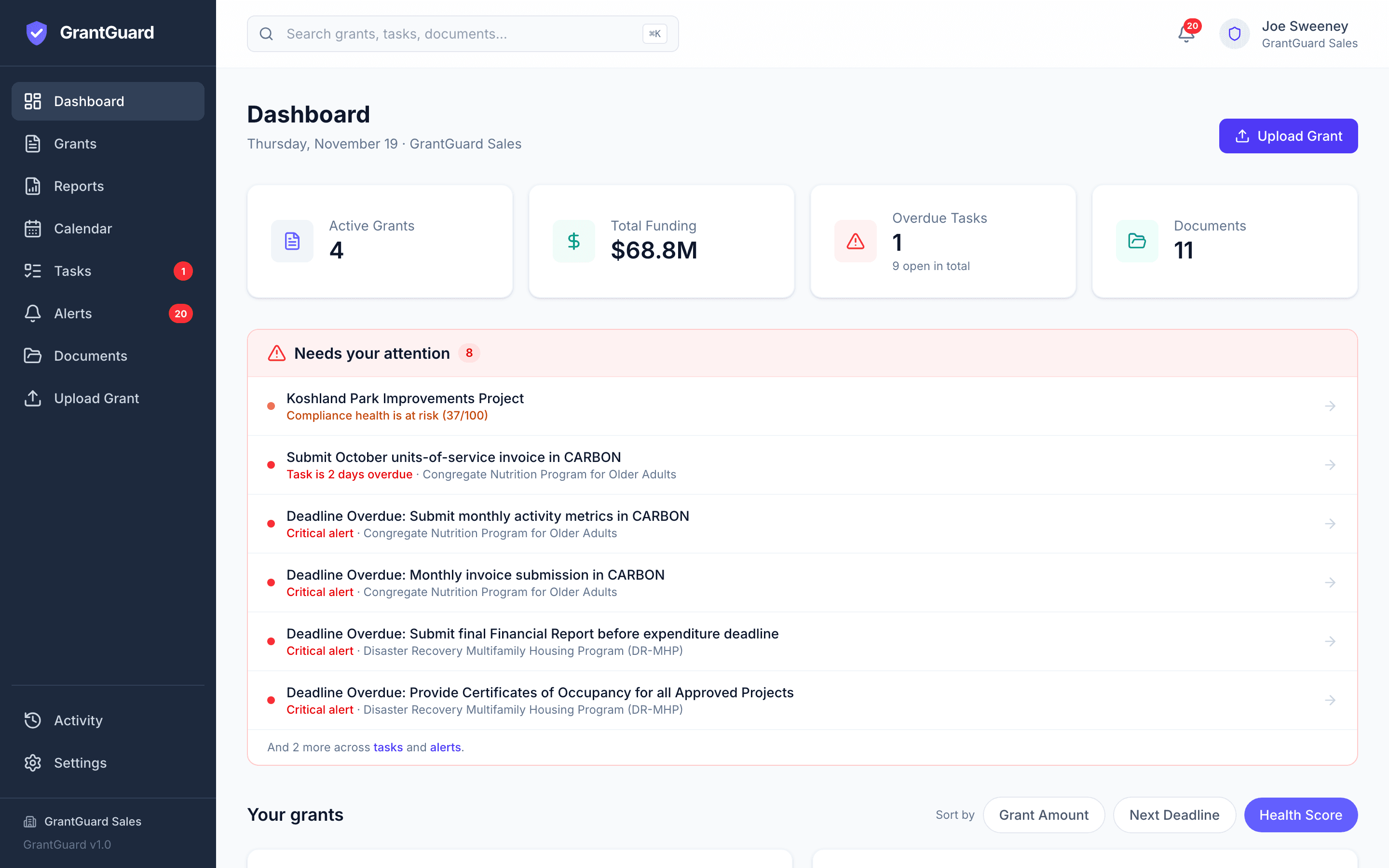
Everything for a client in one place
Agreements, requirements, deadlines, budgets and documents together, instead of an inbox plus a spreadsheet.
A walled-off workspace per client
Each client's grants, documents and people stay in their own separate workspace, apart from every other client.
Reads every agreement
Upload the award and GrantGuard lists each requirement and deadline, with the clause and page, plus the budget lines and any required match.
Receipts filed against the budget
Expenses and receipts sit on the budget line they belong to, with required match tracked alongside, ready for each report package.
Audit binder from the record, not the inbox
Build an audit binder and a compliance handbook for any client, backed by an activity log of who did what and when. Plus a health score and one daily email.
Not available yet
Firm features on the Enterprise plan
We're building these with our first firm partners. They aren't available yet. Ask us about them, and tell us what your firm needs.
- Switch between all your clients from one sign-in
- One dashboard across all your clients
- One bill for the firm instead of one per client
- Your firm's branding on exports
Simple to buy and start
- Firm accounts are on Enterprise, priced per client and per user, so the cost grows with your practice. Talk to us and we'll scope it
- We're onboarding a small number of firms first
- Start with a free 30-day trial on one client, no credit card
- Each client's data stays in that client's own workspace and stays the client's
- No setup fee, and onboarding included
Questions from accounting firms and consultants
Can my clients see each other?
No. Each client has its own separate workspace, and people only see the workspaces they've been invited to.
Can I switch between clients from one sign-in?
Not yet. Today each client is a separate workspace. Switching between clients from one sign-in is part of the firm plan we're building with our first firms. Talk to us.
What can my client's staff do?
Today you can invite the client's bookkeeper or program manager into their workspace so they upload documents directly. Each person is an Admin, an Editor or View-only, so client staff and juniors get only the access they need.
Is there one dashboard across all my clients?
Not yet. An all-clients view, firm-level billing and firm branding on exports are on the Enterprise roadmap. Ask us about them.
How is it priced for firms?
Firm accounts are on Enterprise, priced per client and per user. Talk to us and we'll scope it. You can start with a free 30-day trial on one client first.
Is client data secure?
Documents are encrypted in transit and at rest, each client's workspace is kept separate, and nothing you upload is used to train AI models.
Still have a question? Book a 45-minute demo, send us a message, or start your free trial.
Free resources
- 2 CFR 200 Compliance ChecklistThe federal grant rules auditors check most, with current thresholds.
- ARPA SLFRF Closeout ChecklistSpend by December 31, 2026; final report by April 30, 2027.
- Grant Audit ReadinessWhat to have ready before a grant audit.
Comparing options? Read our buyer's guide to grant management software for accounting firms and consultants, with prices and when another platform fits better.
GrantGuard is also built for cities and counties, school districts, special districts and nonprofits.

See your own grant requirements in one place
Start a free 30-day trial with one of your grant agreements, or book a 45-minute demo and we'll walk through it together.
No credit card required · Workspace ready in about a minute