
For school districts
Grant compliance software for school districts
Federal and state education grants come with detailed rules and frequent monitoring. GrantGuard gives the business office and program directors one shared view of every requirement, deadline and dollar.
What makes school district grants hard
Many funding streams, many rules
Each federal title and state grant has its own allowable uses, reporting and carryover rules, and they're easy to mix up.
Program and finance see different pictures
Program directors plan the spending; the business office answers for it. Without one shared view, gaps show up at monitoring time.
Monitoring and audits look for documentation
State monitoring and Single Audit both ask for proof: time and effort records, purchase files, and approvals.
Deadlines follow the school year
Applications, amendments, carryover and final reports cluster at the same times every year, on top of everything else.
Grants school districts often manage
Most arrive through your state education agency, with its own deadlines on top of the federal ones.
- Title I, Part A, for schools with high numbers of low-income students
- IDEA special education grants
- Title II, Title III and Title IV programs
- School nutrition and child nutrition program funds
- State-funded grants and competitive programs
- Foundation and corporate grants for specific programs
How GrantGuard helps
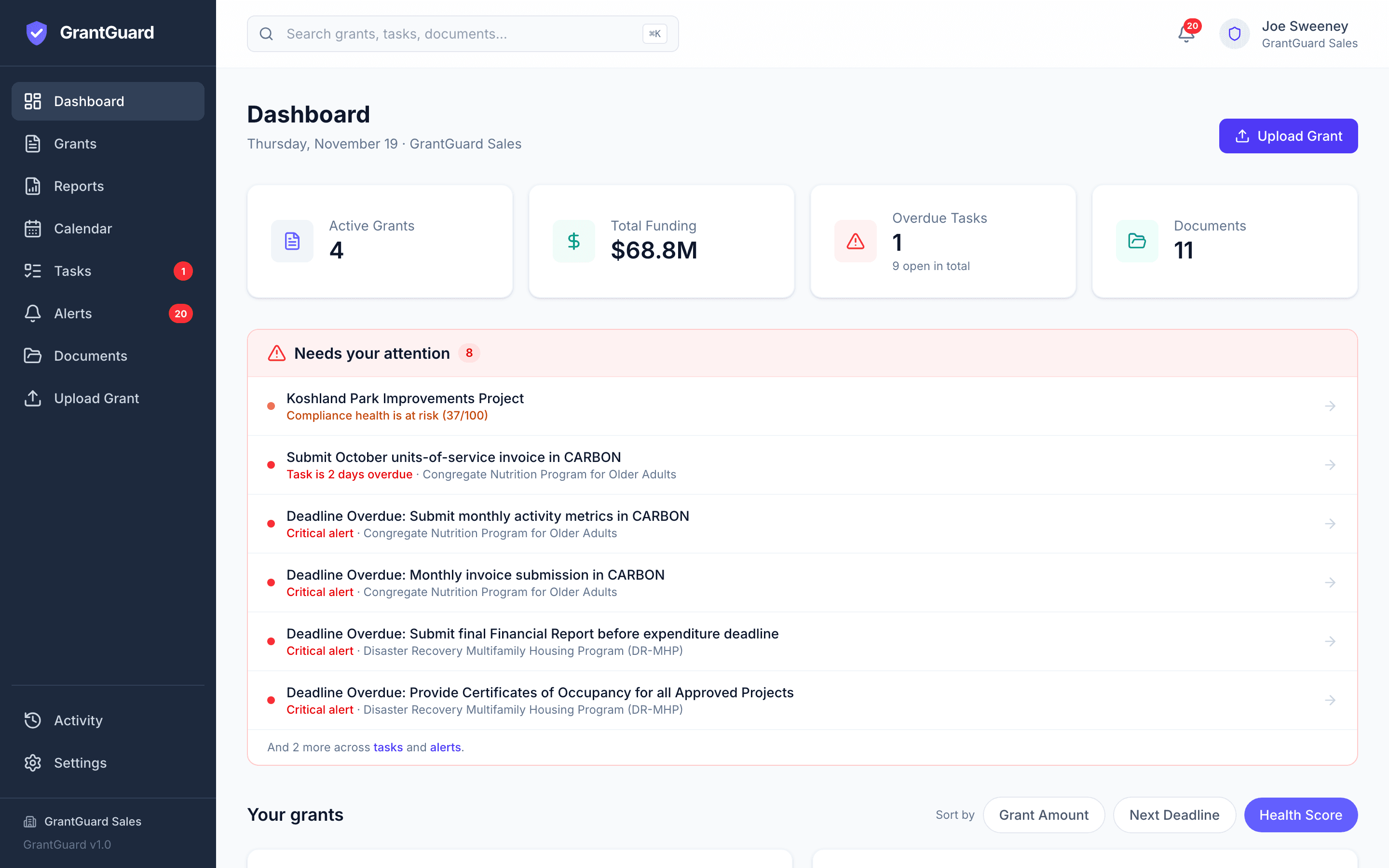
Every condition in the award
Upload the grant award notice or agreement and GrantGuard lists every requirement and deadline, with the clause and page.
The grant year on one calendar
Reporting, amendment and closeout dates across every title, with reminders to the right staff.
Program and business office together
Assign tasks to program directors and finance staff in one shared workspace.
Documentation where monitors look
Store time and effort records, purchase files and approvals with the requirement they prove.
Spending by grant and category
Spent, committed and available for each award, with an alert at 90% of any budget line.
See trouble before monitoring
A health score for every grant shows where to look first.
Simple to buy and start
- Published prices from $199 a month or $1,999 a year, based on how many grants you manage
- Pay by purchase order and Net 30 invoice, by ACH, or by card
- No setup fee, no multi-year contract, and onboarding included
- Free 30-day trial with no credit card, so you can try it on one of your own agreements first
Questions from school districts
Does GrantGuard replace our finance system?
No. Your finance system still records transactions. GrantGuard tracks each grant's requirements, deadlines, documents and spending against its budget, alongside it.
Can program directors use it, not just the business office?
Yes. Everyone works in one shared workspace. Assign each requirement to the program staff who own it, and they see what's due on their list. Give board members or reviewers View-only access.
Can we buy with a purchase order?
Yes. Request an invoice from the choose-a-plan screen and add your PO number. We send a Net 30 invoice, billed annually or monthly.
Is student data stored in GrantGuard?
GrantGuard is built for grant documents, not student records, and doesn't need any. Documents you upload are encrypted in transit and at rest and never used to train AI models.
Still have a question? Book a 45-minute demo, send us a message, or start your free trial.
Free resources
- 2 CFR 200 Compliance ChecklistThe federal grant rules auditors check most, with current thresholds.
- Grant Tracking Spreadsheet TemplateA free Excel workbook for grants, deadlines and budgets.
- Grant Audit ReadinessWhat to have ready before a grant audit.
Comparing options? Read our buyer's guide to grant management software for school districts, with prices and when another platform fits better.
GrantGuard is also built for cities and counties, special districts, nonprofits and accounting firms and consultants.

See your own grant requirements in one place
Start a free 30-day trial with one of your grant agreements, or book a 45-minute demo and we'll walk through it together.
No credit card required · Workspace ready in about a minute